
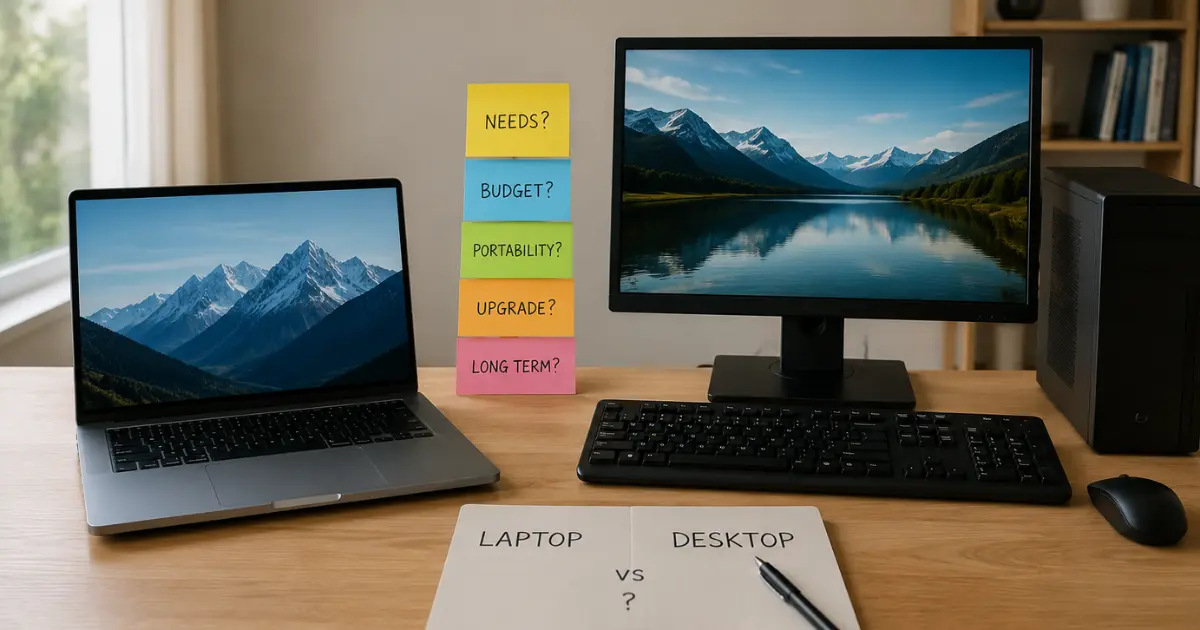
Choosing a laptop or a desktop is really confusing. You need a computer for your child, your work, your studies, or your personal use.
At first, buying a computer may seem like a simple decision.
You may think, “I just need to choose between a laptop and a desktop computer.”
But once you start asking people for advice, the decision can become surprisingly confusing.
One person may tell you:
“Buy a desktop. You get more power for your money.”
Someone else may say:
“No, buy a laptop. You can carry it anywhere.”
Another person may point out that a desktop is easier to upgrade. Someone else may remind you that a laptop does not require a separate monitor, keyboard, UPS or large desk.
Then you start comparing processors, RAM, storage, display sizes, graphics cards, battery life, portability, upgrade options and prices.
The more you discuss it, the more confused you may become.
So, what should you actually do?
The answer is not simply “buy a laptop” or “buy a desktop.”
The better question is:
Which computer is the right choice for your needs, lifestyle, work and budget?
And this is where the Money Decider Principle comes in.
Table of Contents
The Money Decider Principle: Don’t Spend Less. Don’t Spend More. Spend Right.
At Money Decider, we don’t believe that a good financial decision always means spending the least amount of money possible.
Nor does spending more automatically mean getting better value.
Consider a simple example.
Suppose you have ₹100 and you are hungry. A piece of bread costs ₹20 and is enough to satisfy your hunger.
Would it make sense to remain hungry just to save that ₹20?
Obviously not.
But if ₹20 is enough to satisfy your need, would spending ₹30 or more for essentially the same result necessarily be a better financial decision?
Not necessarily.
The right decision is not always the cheapest option, and it is not always the most expensive option. It is the option that adequately meets your needs without unnecessary spending.
That is the Money Decider Principle:
Spend enough to meet your need, but don’t spend more than the need requires.
This principle applies to almost every major purchase—and buying a computer is no exception.
For example, if you are a video editor, buying a computer with only 4 GB of RAM simply because it is cheaper may be a poor decision if your work requires significantly more memory.
On the other hand, if you are buying a computer for your school-going child whose requirements are limited to online classes, browsing, documents and basic educational work, spending substantially more on a 32 GB RAM computer may simply be unnecessary.
The goal is not to buy the cheapest computer.
The goal is not to buy the most powerful computer either.
The goal is to buy a computer that adequately meets your needs without unnecessarily stretching your budget.
This way of thinking applies to more than just buying a computer. It is also useful when making other major purchases, because thinking clearly before any big purchase decision can help you avoid spending based on impulse, pressure or other people’s opinions.
And that is the approach we take at Money Decider.
Why Do People Get Confused When Buying a Computer?
The computer market offers an enormous number of choices.
You will find laptops and desktops at very different prices, with different processors, RAM capacities, storage options, screen sizes and graphics capabilities.
And then there is advice from friends, relatives, colleagues, YouTube videos, online reviews and salespeople.
The problem is that much of this advice is based on what works for the person giving the advice.
For example, a person who spends most of their time at a desk may strongly recommend a desktop.
A person who travels frequently may naturally prefer a laptop.
A gamer may tell you to buy a powerful desktop.
A college student may recommend a lightweight laptop.
None of them is necessarily wrong.
But their recommendation may not be right for you.
This is one reason even intelligent and financially responsible people can sometimes make poor choices. Smart people can still make bad money decisions when they rely on someone else’s priorities instead of carefully examining their own situation.
Instead of asking:
“Which is better, a laptop or desktop?”
ask:
“What do I need my computer to do, and where and how will I use it?”
That single change in the question can make your buying decision much easier.
Laptop or Desktop: Start With Your Purpose
The first thing to determine is why you are buying a computer.
Your purpose matters more than the brand name.
Are you buying it for:
- Writing and office work?
- Browsing the internet?
- Online classes?
- Studying?
- Working from home?
- Business?
- Programming?
- Photo editing?
- Video editing?
- Gaming?
- Graphic design?
- Watching movies and entertainment?
- Managing your investments?
- Trading?
- General household use?
- A combination of several activities?
Your answer can immediately narrow down your choices.
For example, if your primary activities are writing, browsing, email, documents and video calls, you may not need an extremely powerful computer.
On the other hand, if you regularly edit high-resolution videos, work with demanding software or play graphics-intensive games, your requirements can be very different.
Do not pay for performance you are unlikely to use.
At the same time, don’t buy a computer that is too weak for your actual needs simply because it is cheaper.
Remember the Money Decider Principle:
Spend enough to meet the need, but don’t spend more than the need requires.
When a Laptop May Be the Better Choice
A laptop’s biggest advantage is obvious:
You can take it with you.
But portability is more than simply being able to carry a computer in a bag.
It can change how and where you work.
1. You Travel Frequently
If you regularly travel for work, study or personal reasons, a laptop can be extremely convenient.
You can carry it to:
- Your office
- A college or classroom
- A café
- A library
- A friend’s house
- Another city
- A hotel
- A train journey
- A different room in your home
For someone who frequently moves between locations, a desktop can become inconvenient very quickly.
A laptop allows you to take your work with you.
You could even continue working during a long train journey, provided the environment, battery life and connectivity allow it.
That flexibility can be valuable.
2. You Have Limited Space
A desktop setup normally requires a monitor, keyboard, mouse and a suitable place to keep everything.
A laptop combines most of these components into one device.
If you live in a small room or do not have a dedicated workspace, a laptop can be much easier to accommodate.
You can use it at a desk and put it away when you are finished.
3. You Need Flexibility
Perhaps you work at your desk during the day but sometimes want to work from another room.
Or perhaps you frequently move around the house.
A laptop gives you that flexibility.
For some people, this is worth more than the potential advantages of a desktop.
4. You Want a Complete Computer in One Device
A laptop generally comes with a built-in display, keyboard, touchpad, speakers, webcam and battery.
That means you don’t have to purchase many of the components required for a desktop setup separately.
This can make the buying process simpler.
However, remember that a laptop’s included components are also part of its cost. A desktop may allow you to choose individual components separately.
When a Desktop Computer May Be the Better Choice
Now consider the other side.
A desktop computer can make a lot of sense if portability isn’t important to you.
1. You Mainly Work From One Place
Suppose you have a dedicated desk at home and spend most of your working hours there.
You rarely travel with your computer.
You don’t need to move your computer from room to room.
In such a situation, the desktop’s lack of portability may not be a meaningful disadvantage.
Why pay extra for portability that you don’t need?
2. You Need More Performance
Desktop computers can be an attractive option when you need substantial computing performance.
Depending on the configuration, a desktop can accommodate powerful processors, dedicated graphics cards, larger cooling systems and other components.
This can be particularly useful for demanding workloads such as:
- Video editing
- 3D rendering
- Advanced graphic design
- Professional software
- High-end gaming
- Other resource-intensive tasks
But don’t assume that every desktop is automatically more powerful than every laptop.
Compare the actual specifications and your workload rather than relying on the category alone.
3. You Want Easier Upgrades
Another important advantage of many desktop computers is upgradeability.
Depending on the system, you may be able to upgrade components such as:
- RAM
- Storage
- Graphics card
- Power supply
- Cooling
- Other internal components
This can potentially extend the useful life of the computer.
Laptop upgrade options are generally more limited, although some laptops do allow certain components, such as RAM or storage, to be upgraded.
So if future upgrading is important to you, examine the specific computer rather than assuming that all laptops or desktops have the same upgrade possibilities.
4. You Prefer a Larger Screen
If you spend several hours every day working at a computer, a larger external monitor can be very useful.
With a desktop, a large monitor can be part of the setup from the beginning.
You can also connect a laptop to an external monitor, so this isn’t exclusively a desktop advantage.
But if your computer is to be permanently on a desk, a desktop plus a comfortable monitor may provide a more suitable workstation.
Laptop vs Desktop: What About Price?
Price is one of the most important factors in any major purchase.
But price alone should not determine your decision. Before committing your money, it is worth having a simple system to manage your money without confusion, especially when a large purchase could affect your other financial priorities.
But don’t compare only the price of the computer itself.
Think about the total cost of your setup.
A desktop may require you to purchase:
- Monitor
- Keyboard
- Mouse
- Speakers or headphones
- Webcam, if needed
- UPS
- Other accessories
A laptop already includes many of these components.
On the other hand, a desktop can sometimes offer more performance or upgrade flexibility for the money, depending on the configuration.
Therefore, instead of asking:
“Which one is cheaper?”
ask:
“What will my complete setup cost, and what am I getting for that money?”
This is a much better way to evaluate the purchase.
Don’t Buy a Powerful Computer Just Because You Can
This is one of the most important principles to remember.
Suppose you mainly browse the internet, write documents, watch videos, attend online meetings and manage personal finances.
Do you really need an extremely powerful gaming computer with a high-end graphics card?
Probably not.
Paying for performance you don’t need can increase your spending without giving you much additional value.
Spending more than you need is one form of unnecessary expenditure. It is worth recognising some of the money mistakes that can damage your financial life, especially when they become habits rather than one-time decisions.
The same principle applies to laptops.
A salesperson may show you a more expensive model and explain how much faster it is.
But the real question is:
Will you actually use that additional performance?
If not, you may simply be paying for specifications you don’t need.
That is not smart spending simply because you can afford it.
But Don’t Underbuy Either
The opposite mistake can also be costly.
Saving money is not always the same as making a good financial decision. Sometimes trying too hard to spend less can create a bigger expense later. This is why it is important to think clearly before making any big financial decision rather than simply choosing the cheapest option.
You may find a very cheap laptop or desktop and think:
“Why spend more when this one can do the job?”
If your requirements are modest, that may be perfectly reasonable.
But if you expect to use demanding applications, multitask heavily, edit videos or keep the computer for many years, buying an excessively basic machine may become frustrating.
You could experience:
- Slow performance
- Frequent freezing
- Long loading times
- Difficulty multitasking
- Insufficient storage
- Poor performance with newer software
You might then have to replace the computer much sooner than expected.
So the objective is not the cheapest computer.
It is the best-value computer for your actual needs.
Think About How Long You Plan to Keep It
Another question that many buyers overlook is:
How long do you expect to use this computer?
If you plan to replace it after a few years, your decision may be different from someone who wants to keep the same computer for a long time.
Think about:
- Your current needs
- Your expected future needs
- Whether your workload may become more demanding
- Upgrade possibilities
- Repairability
- Warranty and service
- Storage requirements
- Software requirements
A computer that is sufficient today may not necessarily be sufficient several years from now.
Therefore, don’t only ask:
“What do I need today?”
Also ask:
“What am I likely to need during the useful life of this computer?”
Consider Your Working Environment
Your environment can strongly influence whether a laptop or desktop makes more sense.
Ask yourself:
Do you have a dedicated desk?
If yes, a desktop becomes more attractive.
Do you frequently work from different locations?
A laptop may be more suitable.
Do you have limited space?
A laptop may be easier to manage.
Do you spend most of your time at home?
A desktop could make sense if portability is unimportant.
Do you work while travelling?
A laptop has an obvious advantage.
Do you need multiple large screens?
A desktop setup may be particularly convenient, although laptops can also connect to external monitors.
There is no need to choose based on what other people prefer.
Your environment should influence your decision.
What About Gaming?
Gaming is an area where the laptop-versus-desktop decision can become complicated.
If you are a serious gamer and rarely travel with your computer, a desktop gaming PC can be attractive because you can build a powerful system and potentially upgrade individual components later.
But gaming laptops offer something a desktop cannot:
Portability.
If you want to take your gaming computer with you, a gaming laptop may make more sense.
Again, the question isn’t simply:
“Which is better for gaming?”
It is:
“How and where will I use it for gaming?”
Someone who plays at a fixed desk may prefer a desktop.
Someone who frequently moves between locations may value a gaming laptop.
What About Students?
Students should think carefully before buying a computer.
A laptop may be particularly useful if you need to carry your computer between home, college, library or other locations.
But if your computer will remain at home and your work is mainly done at a desk, a desktop could be a reasonable option.
Consider your course and future requirements too.
A student studying basic subjects may have very different computing needs from someone studying:
- Engineering
- Computer science
- Architecture
- Graphic design
- Video production
- Animation
Don’t buy based solely on what your friend has.
Buy according to what your education actually requires.
What About Working From Home?
If you work from home, both laptops and desktops can work well.
A desktop may be attractive if you have a permanent workstation and spend most of your working hours there.
A laptop may be better if you want the flexibility to work from different locations.
There is also a third possibility:
Use a laptop as your main computer and connect it to a monitor, keyboard and mouse when you work at home.
This gives you a combination of portability and a more comfortable desktop-style workstation.
That is why the decision doesn’t always have to be completely black and white.
Don’t Forget Ergonomics and Comfort
A computer is something you may use for several hours a day.
So comfort matters.
A small laptop screen may be perfectly adequate for occasional use but less comfortable for long working sessions.
Likewise, using a laptop on a bed or sofa for hours may not provide the best working posture.
If you choose a laptop but primarily use it at home, you can consider creating a proper workstation with:
- An external monitor
- Comfortable keyboard
- Mouse
- Suitable desk
- Appropriate chair
This can make a significant difference to your everyday experience.
The same principle applies to a desktop.
Buying an expensive computer while ignoring the quality and comfort of the workstation around it may not be the best use of your money.
Should You Buy a Laptop or Desktop? Use This Simple Decision Test
Before spending your money, answer these questions honestly.
1. Where will I use the computer most?
Mostly at one desk?
Or in multiple locations?
2. Do I need to carry it regularly?
If yes, portability should have significant weight in your decision.
3. What will I actually do on it?
Basic computing?
Office work?
Programming?
Editing?
Gaming?
Professional applications?
4. How much performance do I really need?
Don’t pay for performance that you won’t use.
5. How important are future upgrades?
If you want to upgrade components over time, investigate the upgrade options carefully.
6. How much space do I have?
A laptop can be easier to accommodate in a small space.
7. What is my total budget?
Consider the complete setup rather than just the computer.
8. How long do I expect to use it?
Think about both present and future requirements.
9. What matters more to me—portability or performance?
This question alone can sometimes make the decision much clearer.
10. Am I buying based on my needs or someone else’s recommendation?
This may be the most important question of all.
A Simple Laptop vs Desktop Decision Table
| If this describes you | Consider |
|---|---|
| You travel frequently | Laptop |
| You work from different locations | Laptop |
| You have limited space | Laptop |
| You need portability | Laptop |
| You mainly work at one desk | Desktop |
| You want a powerful fixed workstation | Desktop |
| You value easy component upgrades | Desktop |
| You need a large permanent workstation | Desktop |
| You need portability but also a comfortable home workstation | Laptop + external monitor |
| Your needs are mixed | Compare both based on your actual usage |
This table is only a starting point.
Your individual requirements should make the final decision.
Don’t Let Other People’s Opinions Make the Decision for You
There is nothing wrong with asking other people for advice.
In fact, other people’s experiences can be useful.
But there is a difference between collecting information and letting someone else make your decision.
Your friend may say:
“Desktop is always better.”
But perhaps your friend never travels.
Someone else may say:
“Laptop is always better because you can carry it anywhere.”
But perhaps you work from the same desk every day.
Both opinions can make sense from their perspective.
But you are not buying a computer for them.
You are buying it for yourself.
So listen to advice—but evaluate it through the lens of your own situation.
The Money Decider Approach: Think Before You Spend
At Money Decider, we believe that many purchasing decisions become difficult because people start with the product instead of starting with themselves.
They begin by asking:
“Which laptop should I buy?”
before asking:
“Do I actually need a laptop?”
They compare processors before understanding their workload.
They compare screen sizes before considering where they will use the computer.
They compare prices without calculating the complete setup.
They look at specifications without asking whether those specifications provide meaningful value for their particular needs.
We believe the order should be reversed.
First, understand your situation.
Where do you live?
Where will you use the computer?
Do you travel?
How much space do you have?
Then understand your purpose.
What exactly will you do with the computer?
Then determine your requirements.
How much performance, storage, display quality and connectivity do you actually need?
Then determine your budget.
How much can you comfortably spend without putting unnecessary pressure on your finances?
Finally, compare products.
Only after answering these questions should you start comparing specific laptops and desktops.
This is the Money Decider way of applying the principle:
Don’t spend less simply for the sake of spending less. Don’t spend more simply because you can afford it. Spend what is appropriate for the need.
The Best Computer Is the One That Fits Your Life
A computer is a tool.
Its value comes from how well it serves your needs.
A person who travels frequently may find a laptop invaluable.
A person who works at a permanent desk may find a desktop more practical.
A student may prioritize portability.
A video editor may prioritize performance.
A gamer may prioritize graphics performance.
A person with limited space may prioritize compactness.
Someone else may prioritize upgradeability and long-term value.
There is no contradiction here.
Different people have different needs.
That is why you shouldn’t ask whether a laptop or desktop is universally better.
Ask which one is better for you.
Final Decision: Laptop or Desktop?
If you need portability, frequently travel, have limited space or work from multiple locations, a laptop computer may be the better choice.
If you mainly work from one place, want a powerful workstation, value upgradeability and don’t need portability, a desktop computer may be the better choice.
And if you need both portability and a comfortable workstation, you don’t necessarily have to choose one extreme. A laptop connected to an external monitor, keyboard and mouse can give you a flexible setup.
But don’t rush.
Before spending your money, stop and ask yourself:
What do I need this computer to do?
Where will I use it?
How often will I move it?
How much performance do I actually need?
How much can I comfortably afford?
How long do I expect to use it?
Once you answer these questions, the laptop-versus-desktop decision may become much less confusing.
You don’t need to follow the loudest advice.
You need to understand your own needs and situation.
And that is the core idea behind Money Decider:
Before you spend, think clearly.
Spend enough to meet your need, but don’t spend more than the need requires.
The goal isn’t to spend the least.
The goal isn’t to buy the best.
The goal is to make the right decision for you.
Have a Money Question?
Share your financial dilemma. Your question may become a helpful guide for others too.
About the Author
Naivedyanandan Sonowal is a former teacher and former APDCL professional who now works as a freelance journalist. He writes about real-life money decisions shaped by experience. Having managed loans, debt, and financial responsibilities firsthand, he shares practical insights to help readers think clearly before they spend, borrow, or invest. He is also the author of a book on smart retirement planning, available on Amazon.
👉 Read my story →